
- Details
- Written by: Stanko Milosev
- Category: C#
- Hits: 8842
Here I explained how changing one XML in class library can lead to hell. It seems that another solution would be to add XML as a link.
To add XML as a link right click on the project, click add Existing item:

Choose XML and choose add as link from drop down menu:

And that should be it...
- Details
- Written by: Stanko Milosev
- Category: C#
- Hits: 12656
Copy if newer doesn't work as I (or probably anyone else) would expect.
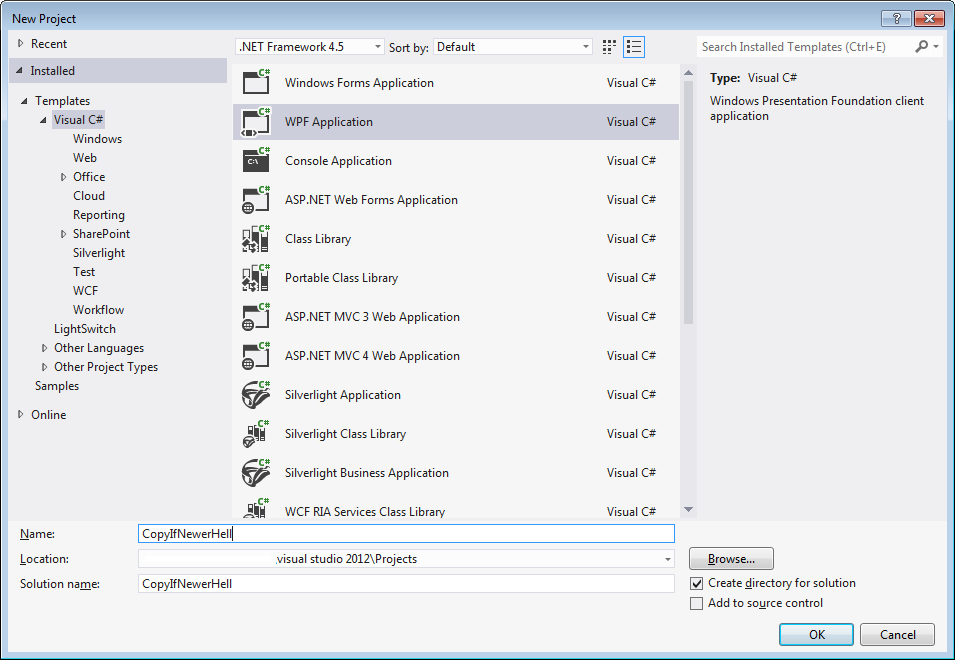
For example create new WPF project (CopyIfNewerHell):
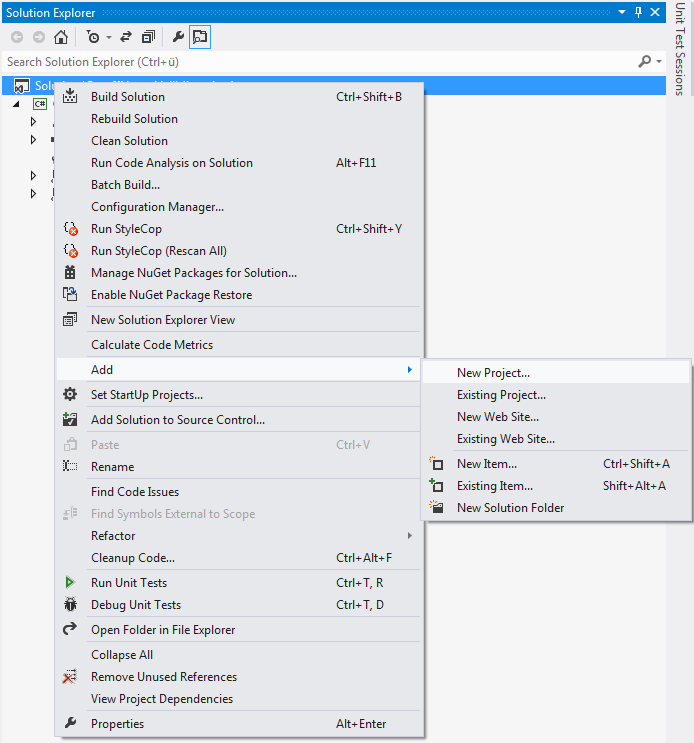
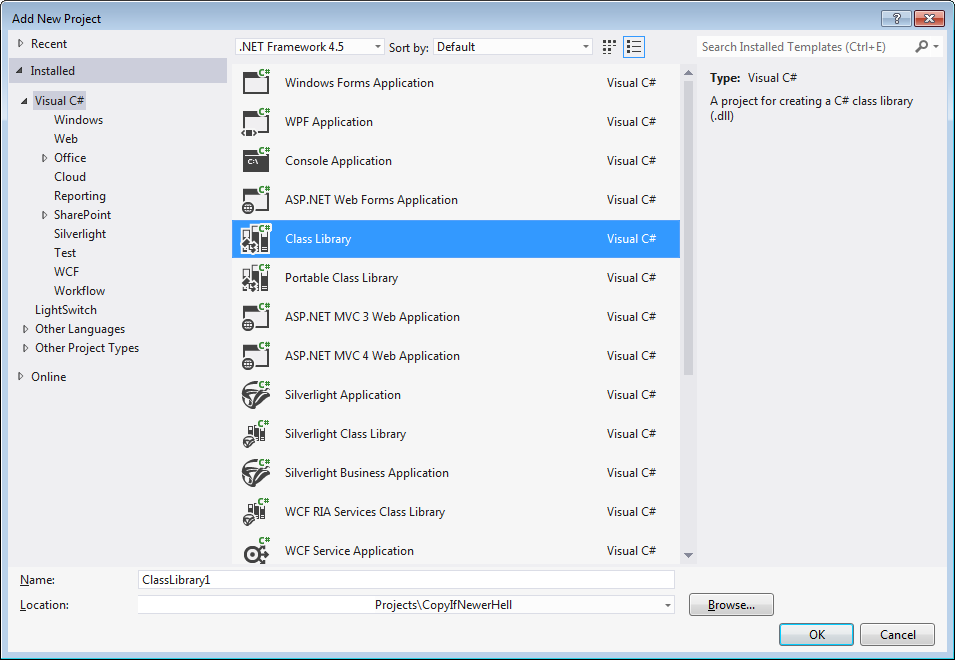
Then, in solution add new Class Library:
Now, create an XML, like:
<?xml version="1.0" encoding="UTF-8"?>
<rootNode>
	<childNode>
	  Child
	</childNode>
</rootNode>
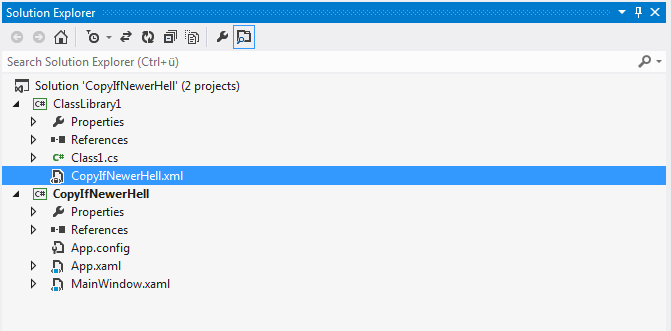
Include that XML in the class library. On the end your solution should like something like:
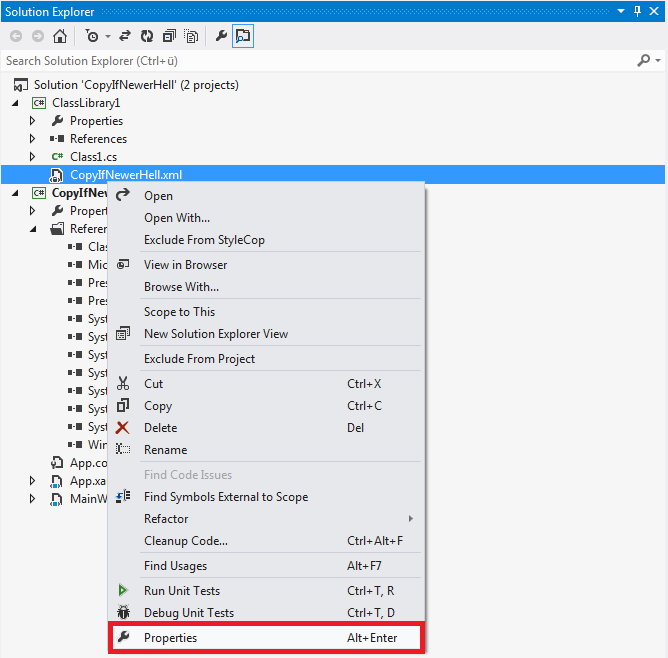
Set properties of your XML:
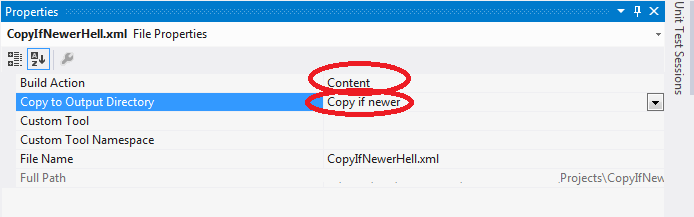
Build action = Content, Copy to Output Directory = Copy if newer:
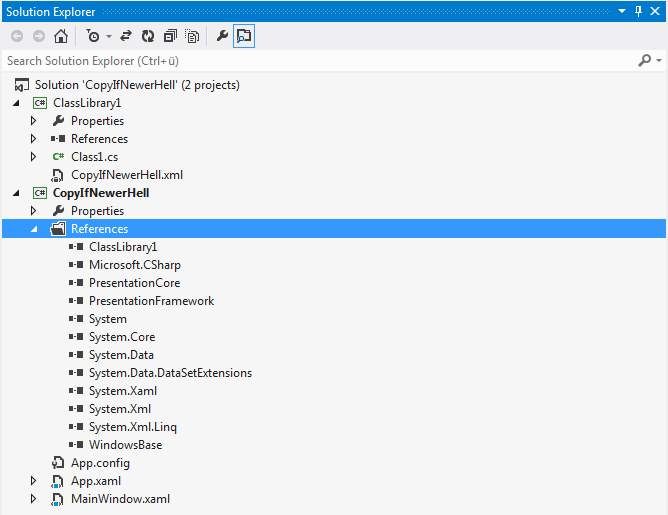
After that, add class library to CopyIfNewerHell project, so your references shoud look like:
Now you can hit F5. If you check bin folder, in my case it is here:
\Documents\Visual Studio 2012\Projects\CopyIfNewerHell\CopyIfNewerHell\bin\Debug\CopyIfNewerHell.xml
You will see CopyIfNewerHell.xml file. Open it in, for example, Notepad, and you will see:
<?xml version="1.0" encoding="UTF-8"?>
<rootNode>
	<childNode>
	  Child
	</childNode>
</rootNode>
Now in Visual studio, open your xml, and change it, like:
<?xml version="1.0" encoding="UTF-8"?>
<rootNode>
	<childNode>
	  ChildNode
	</childNode>
</rootNode>
Hit F5, and again if you open \Documents\Visual Studio 2012\Projects\CopyIfNewerHell\CopyIfNewerHell\bin\Debug\CopyIfNewerHell.xml in notepad, you will see that file was not changed. File CopyIfNewerHell.xml will be changed only if you change any property of that file. Also, if you change property Build action instead of Content to Embedded Resource then XML will be copied everytime when you change content of your file...
Solution I've found here.
---
Here I explained another possible solution.
- Details
- Written by: Stanko Milosev
- Category: C#
- Hits: 6560
Yield we will use when we want to return a collection (i.e. IEnumerable).
For example small console application:
namespace Yield
{
  using System;
  using System.Collections.Generic;

  class Program
  {
    static void Main(string[] args)
    {
      IEnumerable<string> aaa;
      foreach (var a in YieldTest())
      {
        Console.WriteLine(a);
      }
      Console.ReadKey();
    }

    private static IEnumerable<string> YieldTest()
    {
      string[] myTestsStrings = new[] { "One", "Two" };

      foreach (var myTest in myTestsStrings)
      {
        yield return myTest;
      }
    }
  }
}
As a result we will see something like:
One
Two
Note line:
yield return myTest;
If we remove "yield" from that line, we will receive the error:
Cannot implicitly convert type 'string' to 'System.Collections.Generic.IEnumerable<string>'
Our YieldTest method can look like:
private static IEnumerable<string> YieldTest()
{
	string[] myTestsStrings = new[] { "One", "Two" };

	foreach (var myTest in myTestsStrings)
	{
		return new[] { myTest };
	}
	return null;
}
Notice that instead of:
yield return myTest;
Now we have:
return new[] { myTest };
Which will give as result something like:
One
Just one record.
- Details
- Written by: Stanko Milosev
- Category: C#
- Hits: 7073
I had task to check if XML nodes are in correct order. After some research basically all I needed was this line:
var nodes = myXml.Elements().ToList();
So, code would look something like this:
var nodes = myXml.Elements().ToList();

var expectedOrder = new[] { "first", "second", "third", "fourth" }.ToList();

var actualOrder = nodes.Select(node => node.Name.LocalName).ToList();

Assert.AreEqual(string.Join(",", expectedOrder), string.Join(",", actualOrder));